

This week Instagram has launched their new feature, Reels. The rival to TikTok, this feature allows you to make a 15-second video to upload to the new Reels section on Instagram. This offers your audience a new type of content and gives you the opportunity to grow your reach and followers. I’ll explain why this feature is going to be awesome down below!
What is Instagram Reels?
Instagram Reels is a new feature alongside your Feed, Story and IGTV posts on your Instagram account. It allows you to film and edit 15 seconds of film footage with music and filter effects that will be shown to your existing audience and potential new followers.
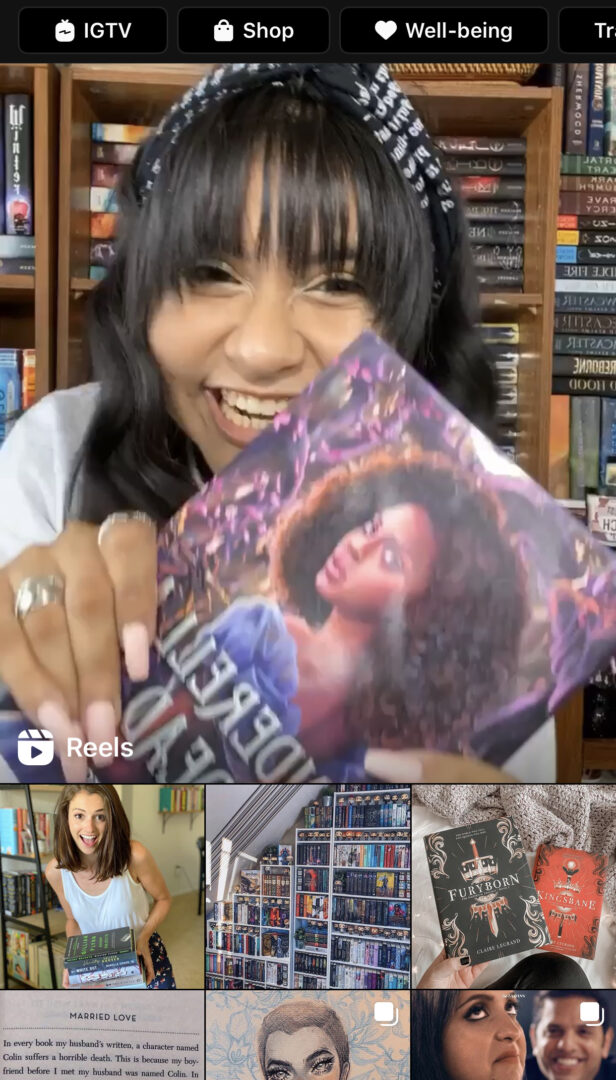
The feature sits on your profile under a new tab or can be found front and centre of the explore page where it takes up a good half of your screen.

A brilliant advantage to Reels is being able to use your current Instagram audience for a new type of content. In contrast to TikTok where if you join this platform you’ll be starting from scratch, if you already have an Instagram following, you already have an advantage to sharing video content.
How is Instagram Reels different from Instagram Story?
The defining feature of your Instagram Stories is the exclusivity of them. They are only live for 24 hours and then gone forever unless you save them to your highlights. Usually, they are only one clip or image per 15-second slot too. Reels, however, are permanent if you want them to be and allow you to edit different clips together.
Why should you be jumping on Reels as soon as possible?
Instagram has just launched this feature, it is new and fresh and will surely be popular. Instagram is going to putting their all into promoting this new feature and the content on it, as we can see from the dedication to Reels on the Explore page. Instagram wants your content on Reels to succeed. If you create a video for Reels now, you will be working to the advantage of the Instagram Algorithm and will be swept up in the momentum to push this new feature to as many users as possible. I upload to Reels on release day and within a few hours, it had received a few thousand views and gained me some new followers.
This is something you want to be at the forefront of, so act now and benefit in the long run from being within the first group of people to join in.
How will Reels help you reach a new target audience?
Video is the most popular content format for many reasons, but probably mostly because it is easy watching for the consumer. They don’t have to read anything, they just watch/listen and then scroll onto the next one. You have 15-seconds to wow your audience into clicking the like button, commenting, sharing or following. If you’ve just posted photos in the past, you will most definitely be reaching out to a new video loving audience by creating Reels.
You can get your same message across but in a much more visual way as opposed to adding it all into the caption and hoping it will all be read. You can use Reels to be funny, helpful, educational, happy, adventurous – you can show so many sides to your account.
What type of content should be upload to Reels?
I think anything goes here (within Instagram’s guidelines), which means let your creativity run wild. TikTok offers excellent examples of what you can do with a short amount of time and your phone’s camera, so let this inspire you. You can go down so many routes.
Here are a few ideas:
- A spoof of a film
- A list of book recommendations
- 15-second motivational talk
- Quick stop bookshelf tour
- Outfit of the day/week
- 15-second book reviews
- Film recommendations
There are so, so many ideas you could do. And the best thing is, this is new so try it, see if it works, if it doesn’t, move onto the next idea!
Should you still be using hashtags on Reels?
The simple answer is yes. You still have a hashtag allowance on Reels and the videos still show up when you click on the hashtags, at the moment though there are more photos than videos, which is to be expected in this early stage. But I would always suggest adding hashtags to your post to give it the best chance to reach the most amount of users.
How can you share your Reels uploads?
When you upload a Reels video you have the option to share it your feed, you can also post it directly to your story, but this means it will disappear after 24 hours so it’s best to save it to Reels rather than Story. You can choose to share this post to your grid or not, if you do this it will appear alongside your grid posts. I’m not doing this as there is a separate section for Reels on my profile and these videos aren’t edited the same way my feed photos are so I didn’t want to mess up my feed theme.
Once your Reels content is live you can share it your story, where it will sit for 24 hours as a promotion to your organic post. This does not affect your original post and is the same as sharing a feed post to your story too. This is a good way to market your video and let people know you’ve uploaded to Reels.
I hope you find these tips helpful and give Reels a go! If this post is well received I’ll create a step by step guide to creating a video on Reels in the future.




I’ve seen reals on Twitter but now I actually know what they are 🙂
Glad this post could help explain it!
this is helpful thanks you I didn’t know about this until now
Reels have not been realized yet here in the UAE but I can’t wait for it. Bookmarking this article for future.