

I often get asked what process I go through when editing photos for my Instagram feed and my Instagram Stories. I use two tools for a majority of my photo editing, VSCO and Preview. I’ll be talking to you about my process using both to edit my content images.
Using VSCO for my Instagram feed photos
I searched for a while to find a filter that fit the image I had in my head, a low saturated, brown overlay. I had seen many accounts that I loved with a filter like this and wanted to try and create my own feed to be similar. In the end, though whilst trying to make this filter I came up with something a little different.
My current filter is a customisation of the M5 filter on VSCO. I have then played about with the exposure, contrast, saturation and skin tone to create the yellow/orange feed I have today.
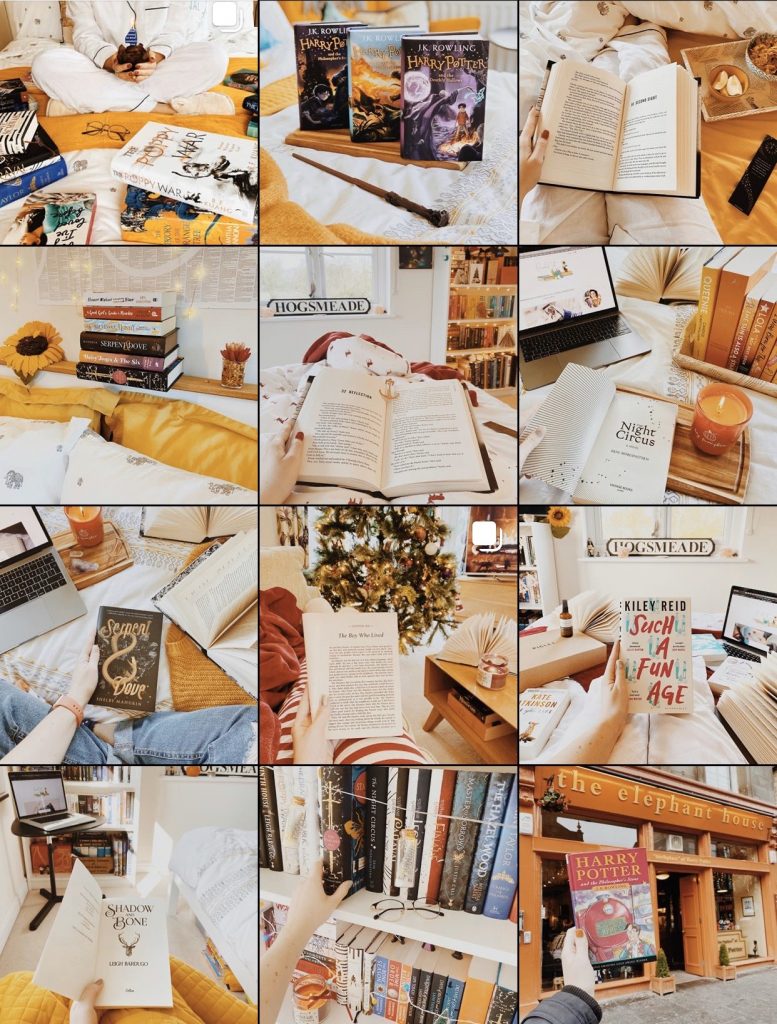
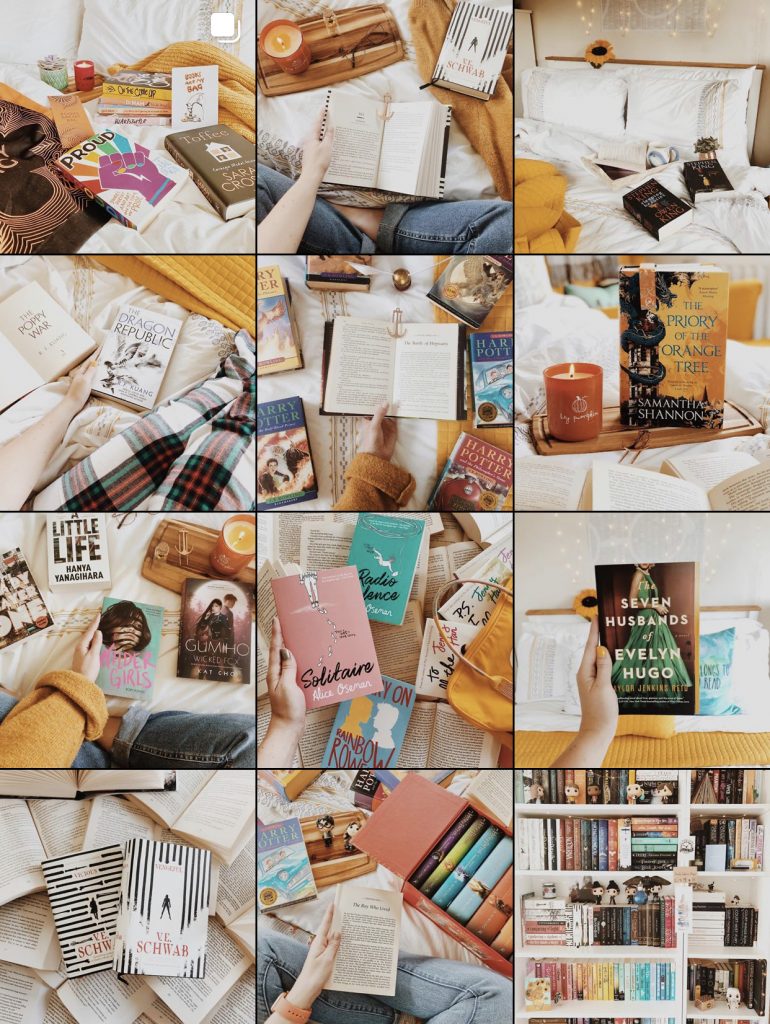
I find it really helps my feed to add in familiar flecks of yellows and oranges to keep the photos all working together to create my overall theme. Sometimes I’ll dip in other colours, as you can see here from the reds I included over Christmas. But ultimately my filter is complemented by the yellow tones, so I will always use these.
If you want to test your photos out before adding them to your feed, to see if they fit, there are some great apps to help. My favourite is Planoly, which allows you to preview your image in your gride and plan out your caption in advance. There’s also Preview that does the same thing, so it’s a case of picking your favourite. These apps are a major help when it comes to organising your Instagram.

Using Preview for my Instagram story photos
I really love the orange and teal filters you see on Instagram Stories such as Zoë Sugg’s so I wanted to use something similar on my own. I went down many routes to try and create the filter I now use, from investing in several different apps to trying to create my own preset in Lightroom. None of this gave me the response I wanted from a filter.
In the end, I turned to the Preview app and now pay a monthly subscription of just under £8. For this, I have access to the whole scheduling tool, but also the filters that are included within my plan. One of which is a set of Orange and Teal filters that I now use for my Instagram Story, specifically the U2 filter.

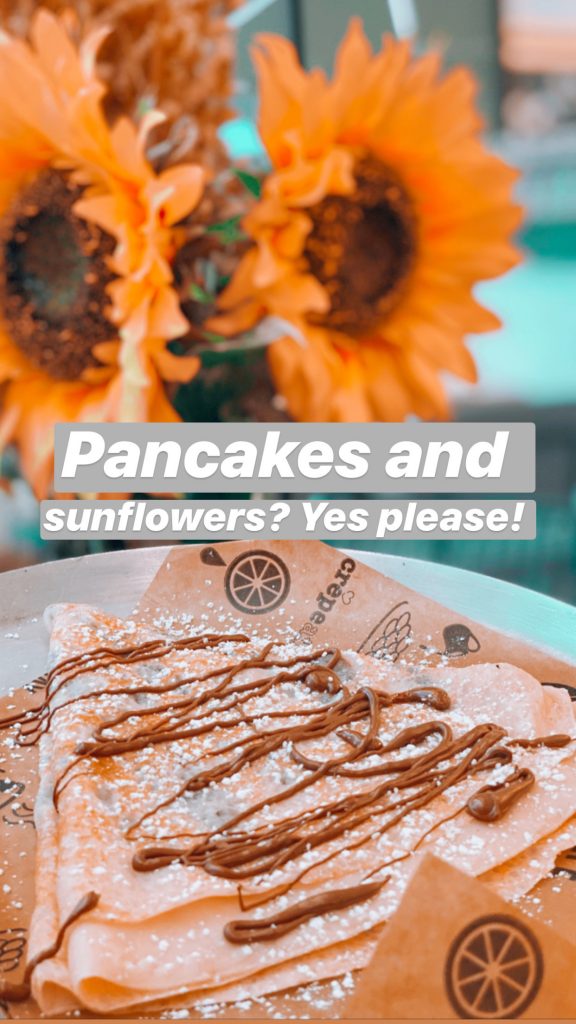

I will also use features within Instagram itself, such as the ability to add text and GIFs to my stories. Overall though, I love this filter and I think it makes my story uploads feel warm and cosy, but also give them a unified look.


This is such a cool post, Beth! I love reading about how others take and their photos and this was really awesome! I absolutely love your Instagram and your feed is gorgeous! (plus it helps that yellow’s my favourite colour!) ❤
Thank you so much, I’m glad you found the post helpful!
Your instagram is GORGEOUS. I am just getting started with bookstagram so am nowhere near this but this gives me hope that it might be achievable! Fab post!
It definitely is, good luck with getting started!
This is such a great post! Thanks for letting us know about your photo editing process
You’re very welcome, I hope it is helpful!
I played with the idea of using VSCO, but I never managed to work around it. Now I stick to Snapseed, which is pretty good. I always wanted to get a warm feed, but the regulation of tones didn’t really worked out with the base pictures I take on generale base. The light is very white and I ended up creating a lighter and colder theme 😂
You never know, you may end up changing it in the future. That’s what happened to me, my feed before this one was a lot more blue and colder.
This post just made me realise that I wasn’t following you on Instagram 😮 I thought I was :’), but apparently that was just Twitter haha! VSCO has been my fav since I was like 14 or 15; it’s amazing!! I’m still working on developing a more flowing theme because as of now, I just like to make sure that all my pictures look nice next to each other, but I’m getting there!!
It’s such a good app! I hope you get there. Apps like Planoly are brilliant to see how your theme is looking as a whole!
I use VSCO for editing all of my instagram photos and Preview for determining which order to post my photos in! Haha. <3
Great post! I’ll have to check these out.
I love your pics. I think my ‘theme’ tends towards turning pics to art. I love how they turn out.